How favouriting a grant adds it to your Favourites list, and how to manage and start drafting from it.
You can keep track of the grants you are researching using the Favourites column.
Adding a grant to your Favourites
When you find an opportunity, click the Favourite icon in the top right to add it to your pipeline. This will add it to the Favourites column.
Favouriting doesn't commit you to anything and doesn't use up one of your monthly AI-drafted applications. It just keeps the grant somewhere you'll see it again, separate from the rest of your matches.
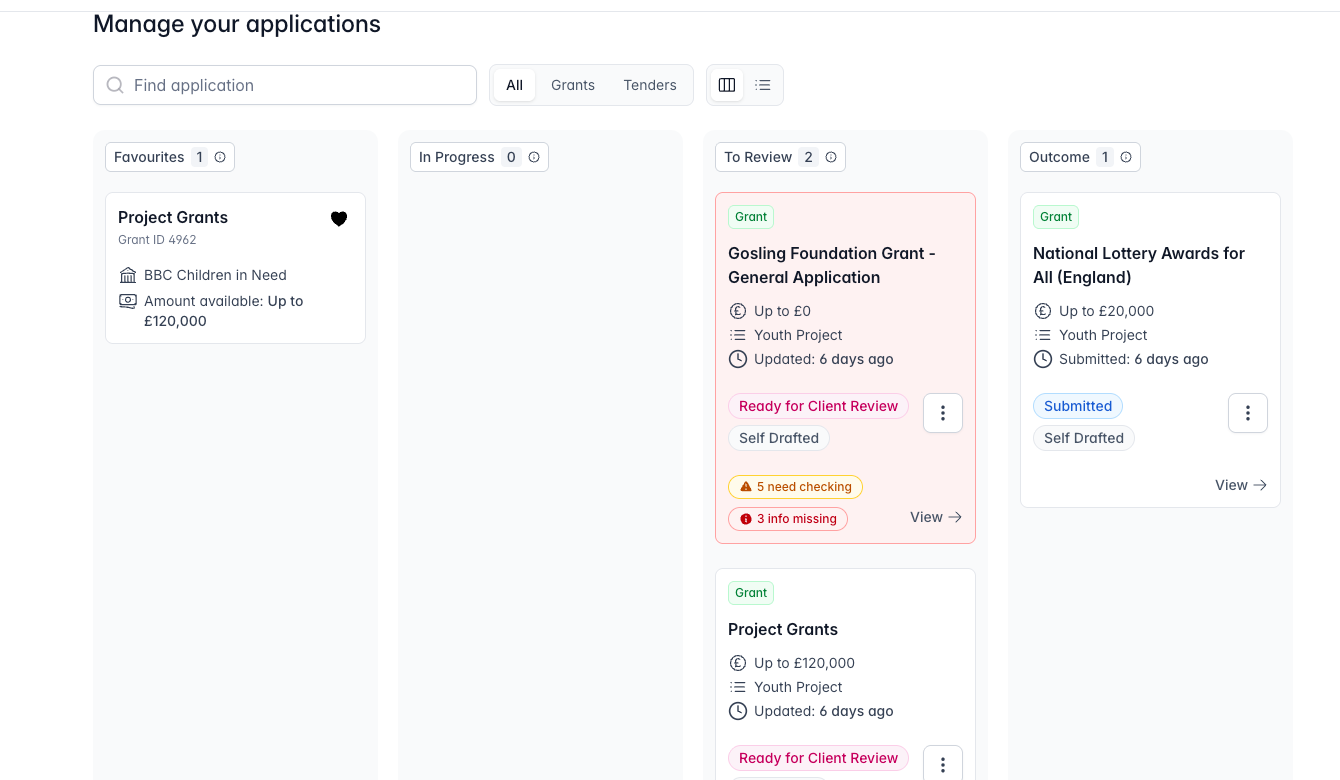
Managing your Favourites
You can view your Favourites at any time under Applications in the left-hand menu. From here you can reorder them to reflect your own priorities, remove any that are no longer relevant, or add more by favouriting further grants.
Starting a draft
When you're ready to work on one, open it from your Favourites and click Apply Now. See Drafting bids for what happens next.
Note: For Managed customers, your monthly strategy call is a good time to go through your Favourites together with your bid writing expert and agree what to prioritise.